powered by ODEO [3:08]
Now that you have a newsreader (your Bloglines account), you can begin adding other newsfeeds that interest you. There are several ways you can locate newsfeeds:
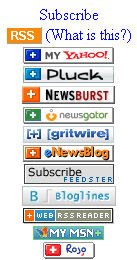
- When visiting your favorite websites -- look for news feed icons that indicate the website provides it. Often a feed icon will be displayed somewhere in the navigation bar of the site. (Here's an image that contains a sampling of several feed icons).
- Use Blogline's Search tool - Bloglines recently expanded search tool lets you search for news feeds in addition to posts, citations and the web. Use the Search for Feeds option to locate RSS feeds you might be interested in.
- Bloglines has a feature to allow users to make their blogroll (the list of blogs they subscribe to) public. You aren't required to do this to complete Thing #9, but you might be interested in seeing a public blogroll. Here is link to Jill's public Bloglines account: http://www.bloglines.com/public/bibliaddict.There are over 50 library-oriented blogs listed in the left column. Click on the blog title to see a preview on the right column. If you want to subscribe to the blog, click the subscribe link in the bar over the title to start the process.
Other Search tools that can help you find feeds:
- Topix.net - This search tool allows you to locate recent newsfeed items based upon keyword or phrase searching. The tool focuses specifically on news and media outlet RSS feeds for information, not weblogs.
- Syndic8.com - Syndic8 is an open directory of RSS feeds that contains thousands of RSS feeds that users have submitted.
- Technorati - Technorati is a popular blog finding tool that lets you search for blogs. Since RSS feeds are inherent to all blogging tools, Technorati Blog Search can help you find RSS feeds for topic specific blogs you may be interested in.
- Additional Resource: Technorati Tutorial on finding and adding your blog
Discovery Exercise:
- Explore some of the search tools noted above that can help you locate some news feeds.
- Create a blog post about your experience. Don't know what to blog about? Here some questions to think about:
Which method of finding feeds did you find easiest to use? Which Search tool was the easiest for you? Which was more confusing? What kind of useful feeds did you find in your travels? Or what kind of unusual ones did you find? What other tools or ways did you find to locate newsfeeds?
EXTRA STUFF: Feed Icon Info
In February of 2006, the adoption of a standard feed icon among websites and browsers finally began to assist in stopping the madness and confusion caused by so many variations. So far this icon has been adopted by many websites and browsers, including Opera and FireFox, where it displays in the address bar:
In February of 2006, the adoption of a standard feed icon among websites and browsers finally began to assist in stopping the madness and confusion caused by so many variations. So far this icon has been adopted by many websites and browsers, including Opera and FireFox, where it displays in the address bar:
 While you're surfing the Web, you can quickly subscribe to a website by clicking the orange feed icon in the address bar.
Technorati tags: feeds, rss, oclwebthings